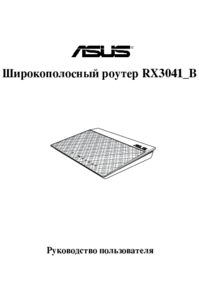
Asus RX3041_B Manuale Utente Pagina 1
Navigare online o scaricare Manuale Utente per Comunicazione Asus RX3041_B. Asus RX3041_B User Manual Manuale Utente
- Pagina / 36
- Indice
- RISOLUZIONE PROBLEMI
- SEGNALIBRI


- RX3041_B 1
- First Edition 2
- March 2012 2
- Table of contents 3
- About this guide 4
- Knowing your router 7
- Hardware features 8
- Rear panel 9
- Bottom panel 10
- Mounting options 11
- Getting started 13
- Conguring the 17
- Vista/7 20
- Upgrading the rmware 22
- Troubleshooting 24
- Appendices 27
- CE Mark Warning 28
- IC Warning 28
- GNU General Public License 28
- GNU GENERAL PUBLIC LICENSE 29
- NCC Warning 34
- Safety Warning 34
- ASUS Contact Information 35
Sommario
User ManualRX3041_B Broadband Router1234e7222_rx3041b_contents.indd 1 3/19/12 5:51:16 PM
10RX3041_B Chapter 1: Knowing your routerBottom panelItem Description1Mounting hooksUse the mounting hooks to mount your router on co
11Chapter 1: Knowing your router RX3041_BMounting optionsThe ASUS Router is designed to sit on a raised at surface like a le cabine
12RX3041_B Chapter 1: Knowing your routere7222_rx3041b_contents.indd 12 3/19/12 5:51:21 PM
13Chapter 2: Setting up the hardware RX3041_B2Getting startedSetting up the routerThe ASUS Router uses a web-based user interface (w
14RX3041_B Chapter 2: Setting up the hardwareNotes:• If QIS does not detect your Internet connection type, click Skip to manual se
15Chapter 2: Setting up the hardware RX3041_BUsing QIS without auto-detectionTo use QIS to manually setup your newtork:1. Launch yo
16RX3041_B Chapter 2: Setting up the hardwaree7222_rx3041b_contents.indd 16 3/19/12 5:51:22 PM
17Chapter 3: Conguring the clients RX3041_BAccessing the routerSetting up an IP address for wired clientsTo access the ASUS Router
18RX3041_B Chapter 3: Conguring the clientsWindows® 20001. Click Start > Control Panel > Network and Dial-up Connection. Ri
19Chapter 3: Conguring the clients RX3041_BWindows® XP1. Click Start > Control Panel > Network Connection. Right-click Loca
2Copyright © 2012 ASUSTeK Computer Inc. All Rights Reserved.No part of this manual, including the products and software described in it, may be reprod
20RX3041_B Chapter 3: Conguring the clientsWindows® Vista/71. Go to Start > Control Panel > Network and Internet > Netwo
21Chapter 4: Conguring via the web GUI RX3041_B4Conguring the advanced settingsManaging bandwidth with QoSQoS enables you to set th
22RX3041_B Chapter 4: Conguring via the web GUIUpgrading the rmwareNote: Download the latest rmware from the ASUS website at http:
23Chapter 4: Conguring via the web GUI RX3041_BRestoring/Saving/Uploading settingsTo restore/save/upload the settings:1. Click Adva
24RX3041_B Chapter 6: Troubleshooting5TroubleshootingTroubleshootingThis troubleshooting guide provides solutions to some common
25Chapter 6: Troubleshooting RX3041_BProblem ActionHow do you restore the system to its default settings?• Use a paper clip or s
26RX3041_B Chapter 6: Troubleshootinge7222_rx3041b_contents.indd 26 3/19/12 5:51:27 PM
27Appendices RX3041_BNoticesASUS Recycling/Takeback ServicesASUS recycling and takeback programs come from our commitment t
28RX3041_B AppendicesProhibition of Co-locationThis device and its antenna(s) must not be co-located or operating in conju
29Appendices RX3041_BGNU GENERAL PUBLIC LICENSEVersion 2, June 1991Copyright (C) 1989, 1991 Free Software Foundation, Inc.5
3Table of contentsAbout this guide ... 4Knowing your router 7Packag
30RX3041_B Appendiceslicenses, in effect making the program proprietary. To prevent this, we have made it clear that any p
31Appendices RX3041_Bannouncement.) These requirements apply to the modied work as a whole. If identiable sections of th
32RX3041_B Appendices4. You may not copy, modify, sublicense, or distribute the Program except as expressly provided unde
33Appendices RX3041_B8. If the distribution and/or use of the Program is restricted in certain countries either by patents
34RX3041_B AppendicesRENDERED INACCURATE OR LOSSES SUSTAINED BY YOU OR THIRD PARTIES OR A FAILURE OF THE PROGRAM TO OPERAT
35Appendices RX3041_BASUS Contact InformationASUSTeK COMPUTER INC. (Asia Pacic)Address 15 Li-Te Road, Peitou, Taipei,
36RX3041_B AppendicesManufacturer:ASUSTeK Computer Inc.Tel: +886-2-2894-3447Address: No. 150, LI-TE RD., PEITOU, TAIPEI 11
4About this guideThis user guide contains information that you need to install and congure the ASUS Router.How this guide is organizedThis guide cont
5WARNING: Information to prevent injury when completing a task. CAUTION: Information to prevent damage to the components when completing a task. IMPO
6e7222_rx3041b_contents.indd 6 3/19/12 5:51:18 PM
7Chapter 1: Knowing your router RX3041_BCheck the following items in your ASUS Router package. RX3041_B Router x1 Power adapte
8RX3041_B Chapter 1: Knowing your routerStatus indicatorsLED Status IndicationPowerOff No powerOn System readyResetFlashing slowly Re
9Chapter 1: Knowing your router RX3041_BDCINRear panel12 34Item DescriptionReset buttonPress this button for more than ve seconds to
Più documenti per Comunicazione Asus RX3041_B


Prodotti e manuali riguardandi Comunicazione Asus RX3041_B
 (5 pagine)
 (370 pagine)
(94 pagine)
(370 pagine)
(94 pagine)
 (22 pagine)
(122 pagine)
(23 pagine)
(22 pagine)
(122 pagine)
(23 pagine)
 (10 pagine)
(10 pagine)
(10 pagine)
 (10 pagine)
(106 pagine)
(25 pagine)
(10 pagine)
(106 pagine)
(25 pagine)
 (44 pagine)
(8 pagine)
(25 pagine)
(44 pagine)
(8 pagine)
(25 pagine)

 (145 pagine)
(38 pagine)
(61 pagine)
(23 pagine)
(167 pagine)
(12 pagine)
(145 pagine)
(38 pagine)
(61 pagine)
(23 pagine)
(167 pagine)
(12 pagine)
© 2020, manymanuals.it. Tutti i diritti riservati | 0.051 s |
 Manymanuals.com
 Manymanuals.de
 Manymanuals.fr
 Manymanuals.it
 Manymanuals.pl
 Manymanuals.cz
 Manymanuals.es
 Manymanuals-pt.com
Commenti su questo manuale